Blackrock Networks, Inc. is proud to host a live event with Google’s Partner Program.
The live feed is now closed. Thank you for all those that attended and made the event a great success.
Blackrock Networks, Inc. is proud to host a live event with Google’s Partner Program.
The live feed is now closed. Thank you for all those that attended and made the event a great success.
Again Matt Cutts of Google answers extremely well a common questions I get from clients.
http://googleonlinesecurity.blogspot.com/2013/12/further-improving-digital-certificate.html
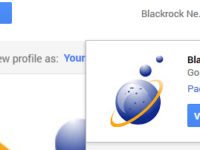
To Add Blackrock Networks, Inc. as a manager to your Google+ Page please follow the instructions below.
Step 1:
From the drop down menu on the right select the page you want us to manager. If you don’t see this make sure to scroll all the way to the top of the page.
Click > Mangers
Step 2:
Click > Add Manager

Step 3:
Enter our email address and click > Invite

So you would think that if Google is trying to get more people to use their Social Network service called Google+ they would make it easy for people and business to promote their pages via easy to remember URL’s. Facebook, Twitter, Pinterest, LinkedIn do it. So why not Google+? I can’t answer the why but I can help with the process of getting ready for the day they allow all users to get a Vanity URL.
Right Now Google’s official line is: “Your Google+ page must already have a meaningful number of followers.” What that magic # is is also a mystery but it is safe to assume that 5 or 10 does not qualify. If we get info that there is a magic # we will update the article. Some lucky brands were part of a beta roll-out that Google determined could have their own Vanity URL. They are below. If you aren’t one on the lucky few here are some steps to follow to get you ready.
Step 1: Get your Google+ page verified.
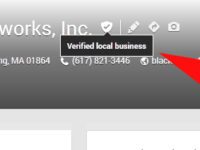
Google+ verification confirms the identity of the business and places an official check mark at the top of your Google+ page. At the time of the post business that do not have a physical location can not get a verified Google+ page. They will need to opt for displaying their physical address. Follow the instructions below to submit your business to become verified.

Part A: You need to have a link to your website in the “About” section of your Google+ Page.

Part B: Add Code Snippet
Next add the code required to your website so Google can verify you own the site. Contact your web developer if you need help adding the code to your website. http://support.google.com/webmasters/bin/answer.py?hl=en&answer=1708844
Step 2:Request Verification at http://support.google.com/plus/bin/request.py?hl=en&contact_type=page_verification&rd=1
Step 3:
Wait for an email verification that your Google+ Page has been verified. It will usually say something like:
“Dear User,
Congratulations! Your page is now verified.
Please note that any changes to the name of your page will result in a loss of your verified status.
Sincerely,
Google+ Support Team”
Step 4: Last but not least, check your Google+ page frequently.
If Google decides that you have met their criteria one day you may see a link that says “claim your URL”. Once you do, click this, and you will be one of the luck few to get a Vanity URL from Google.

“After some Winter cleaning, Google announced the immediate discontinuation of Google Sync and Google Calendar Sync. These applications were designed to synchronize Gmail accounts with Outlook, various devices and other software via Microsoft’s Exchange ActiveSync (EAS) protocol.” -By Rick Burgess
Read More at: http://www.techspot.com/news/51129-google-drops-gmail-outlook-sync-support-microsoft-surprised.html
Select the wrench icon on your browser window.


Getting started is easy: go to Google.com in your mobile browser, tap on “Settings” at the bottom of the screen and enable “Handwrite.” Note that after you’ve saved the setting, you may need to refresh the homepage to see the feature.
http://googleblog.blogspot.com/2012/07/make-your-mark-on-google-with-handwrite.html
http://support.google.com/adwords/bin/answer.py?hl=en&answer=71163

According to Google, “as a business owner, you can still use Google Places to manage your business. As a user, you can now rate, review and upload photos through our new local search experience, Google+ Local.” Learn More >