- The given theme contains the Settings option. These settings allow for easy and quick change of the theme color palette, the items order, items on /off etc. In order to use these settings please go to Appearance > Theme Options.
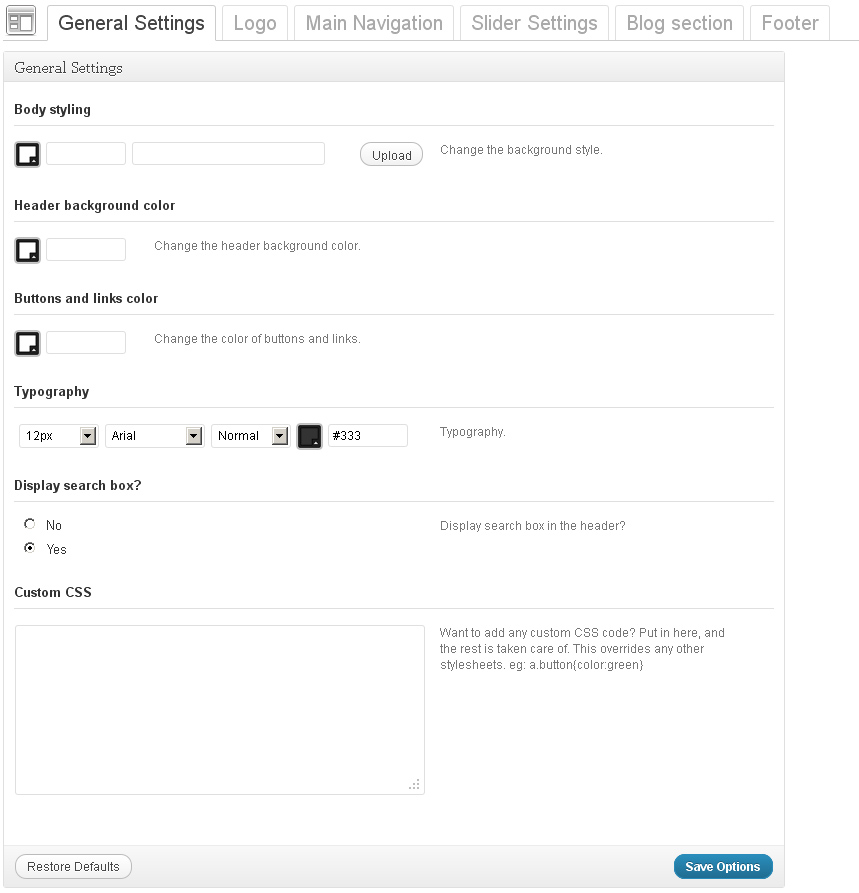
General settings
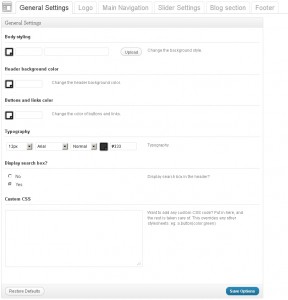
- Body styling – you can select the body color and background pattern.
- Header background color – Header background color
- Buttons and links color – Buttons and links color
- Typography – a set of Typography settings
- Display search box? – show/hide the search bar in the header
- Custom CSS – if you need to add some css rules but you don’t want to mess with the main css file, you can use this field. Just insert your new css rules
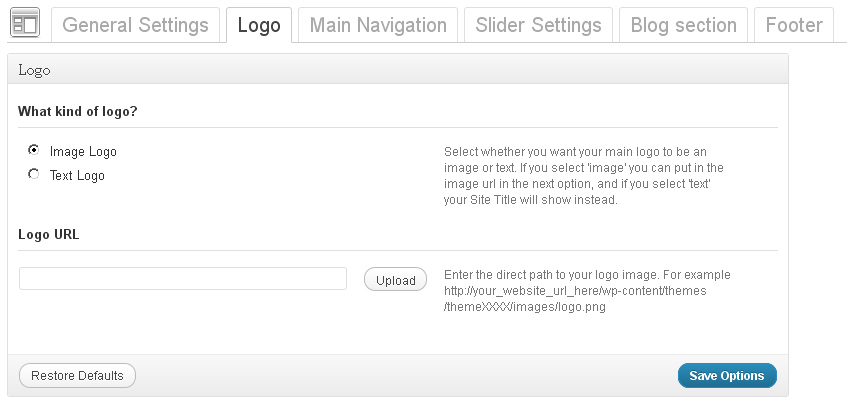
Logo
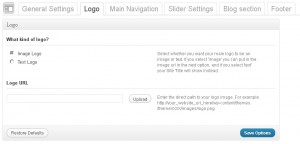
- What kind of logo? – indicates what kind of logo to use, whether the text one or the image logo.
- Logo URL – with Image logo selected you can upload the new image with the help of the ‘upload’ feature or use any pic from the Media Library
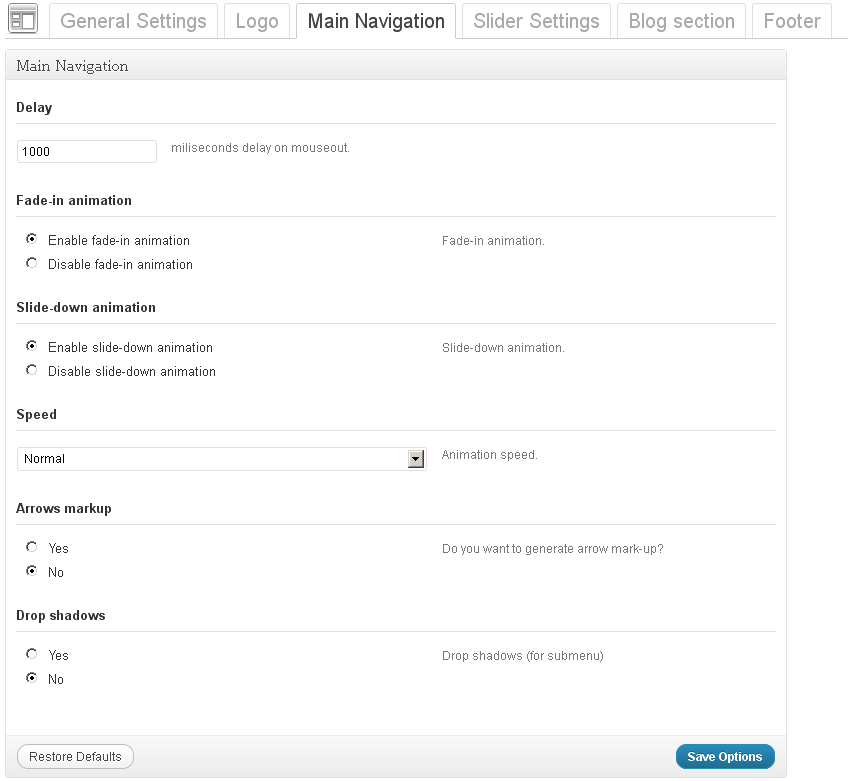
Main Navigation
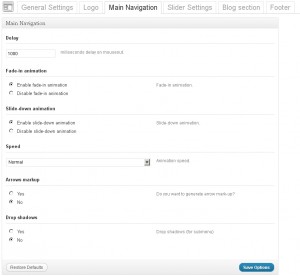
- Delay – delay in milliseconds that defines when the menu hides
- Fade-in animation – enabe/disable the fade-in animation
- Slide-down animation – enabe/disable the slide animation
- Speed – the speed of the submenu expanding
- Arrows markup – enabe/disable arrows for the menu items that have submenus
- Drop shadows – show/hide the submenu shadow
Slider Settings
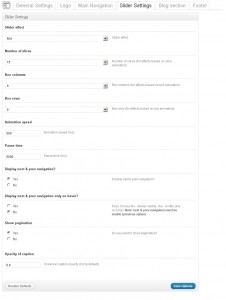
- Slider effects – slider transition effect
- Number of slices – amount of slices in the slider
- Box columns – amount of box columns in the slider (for effects based on box animation only)
- Box rows – amount of box rows in the slider (for effects based on box animation only)
- Animation speed – the speed of the animation (ms)
- Pause time – delay between slides (ms)
- Display Next & Prev navigation – show/hide the Next & Prev buttons
- Display Next & Prev navigation only on hover? – this options allows to specify when the Next & Prev navigation is displayed
- Show Pagination – show or hide pagination (e.g. 1, 2, 3, 4 …)
- Opacity of caption – caption opacity
Blog section
- Sidebar position – you can select the position for the sidebar(right or left)
- Blog image size – the Image size (Normal size or Large size) for the Blog page
- Single post image size – the image size (Normal size or Large size) for the single post page
- Enable Meta for blog posts? – display meta for posts
- Enable excerpt for blog posts? – display excerpt for posts
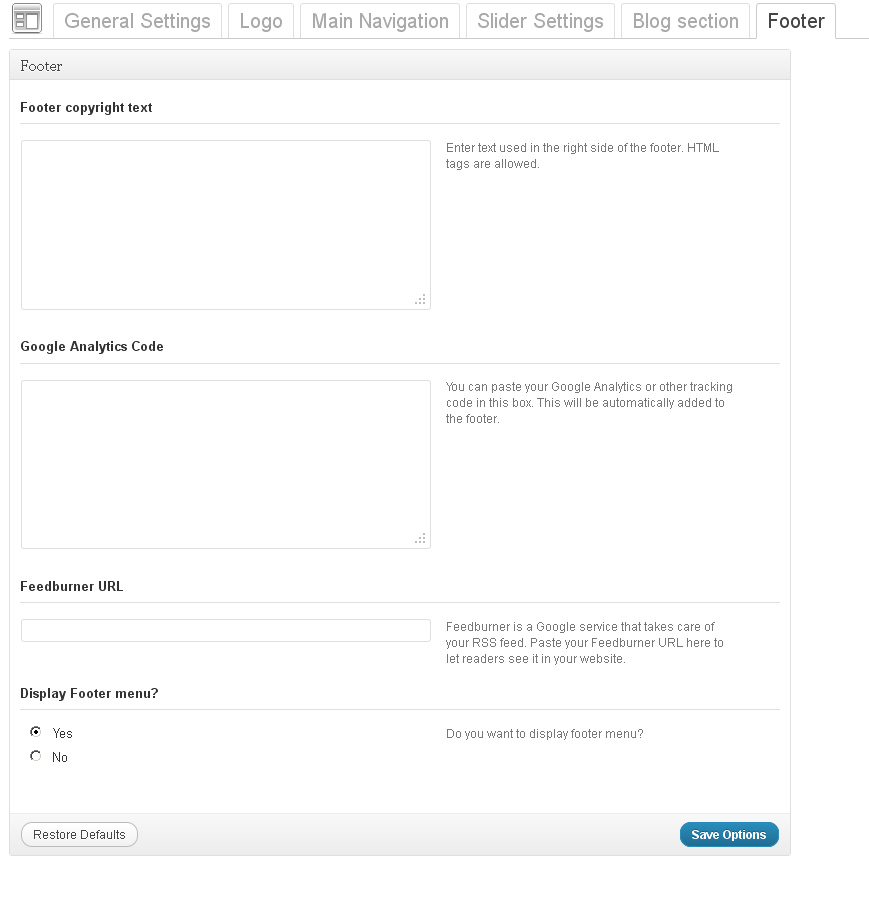
Footer
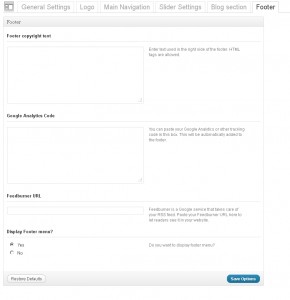
- Footer copyright text – footer text content. If the text field is empty, the default content will be displayed. It is located in the footer.php file
- Google Analytics Code -you can put a code for gathering your site’s SEO stats. . For instance, Google Analytics Code
- Feedburner URL – Feedburner is a Google service that takes care of your RSS feed. Paste your Feedburner URL here to let readers see it in your website
- Display Footer menu – enable or disable the footer menu
Please note, these are common/standard theme options of our templates. Your particular template may include different options panels with different names and functionality. Please refer to your template documentation for the most accurate information.
WordPress – Theme Options